Install the app
Crux for Android is distributed through the Google Play Store, and that is the route to prefer. Deployments that cannot use Play can download the same build as an APK from their Crux Web UI.
Install from the Play Store
- Open the listing on the device: Crux
- Tap Install, then Open.
The listing is public, so searching the Play Store for "Crux" will also find it. Check the package
name is com.sirius.crux before installing.
Crux VPN is a different, retired app
Crux replaced an earlier app called Crux VPN (com.cruxcomms.cruxvpn), and the two have
separate Play Store listings. Crux VPN will not register against the current platform. If you
have it installed, it can be removed once Crux is set up.
Install from the Crux Web UI
If your deployment does not distribute through Play, the APK is published by your Crux Web UI at
/downloads/android — for example https://ui.crux.sirius.computer/downloads/android. Ask your
administrator for the address of your own Web UI.
Installing an APK directly requires the device to allow installation from your browser or file manager, which Android prompts for the first time. Your organisation's device management may control that.
The permissions Crux asks for
Crux requests two things, and neither at install time:
| Permission | When it is asked for | What happens if you decline |
|---|---|---|
| Camera | The first time you open the QR scanner | The scanner cannot open. Import from a file or type the tunnel in by hand instead. |
| VPN configuration | The first time you tap Connect | The tunnel cannot start. Android shows this as a system dialog, once per device. |
The VPN prompt is an Android dialog rather than a Crux one. Accepting it lets Crux create the network interface that carries your traffic; it does not grant Crux access to anything else on the device.
Check the version
The About tab shows the installed version in its footer, above the copyright line.
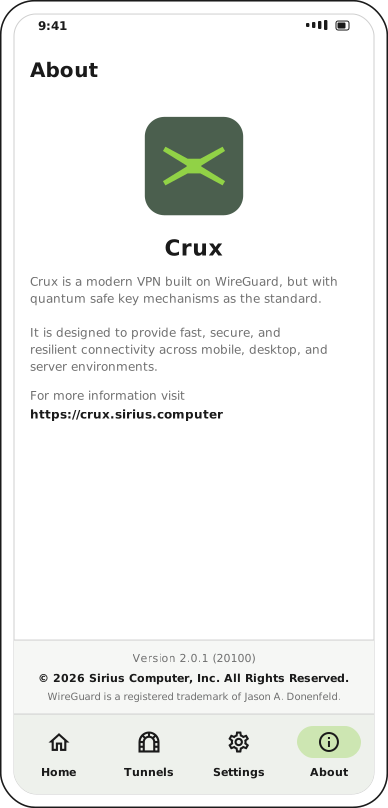
The version number is the quickest thing to quote when raising a support request.
Next step
With the app installed, register the device.